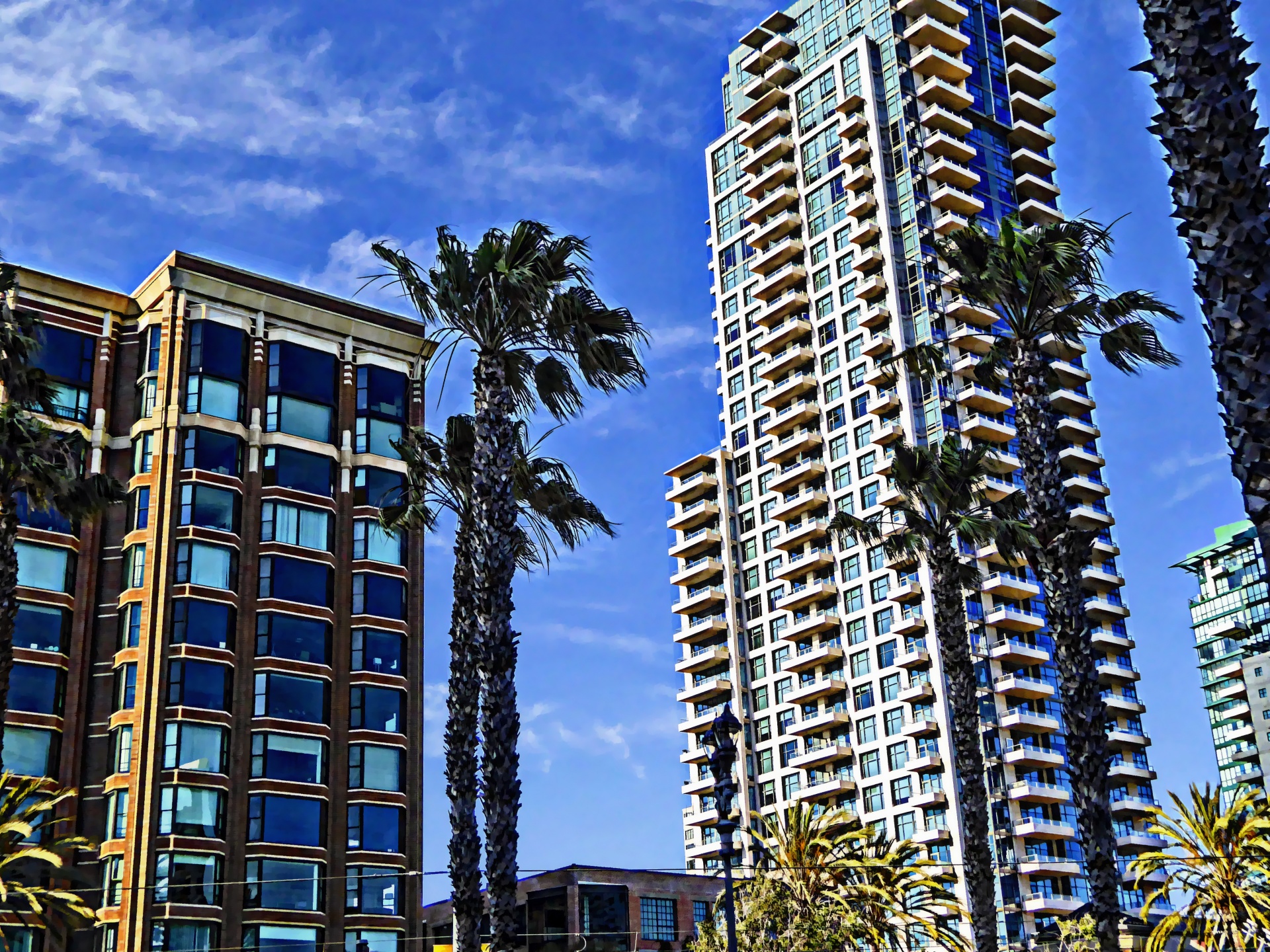
What Is High Dynamic Range Explained Clearly

Published

Table of Contents

High dynamic range (HDR) represents a transformative leap in visual fidelity, bridging the gap between human perception and technological reproduction of light and shadow. Unlike conventional imaging, which compresses luminance into limited bit depths, HDR captures and displays a broader spectrum of brightness, enabling richer contrast and lifelike color gradients. This capability is not merely an enhancement but a redefinition of how images and videos are perceived, spanning photography, filmmaking, and digital media.

The core principle of HDR lies in its ability to preserve detail in both brightly lit and shadowed areas, a feat achieved through advanced sensor technology, exposure techniques, and post-processing algorithms. From landscape photography to cinematic mastering, HDR reimagines creative possibilities while addressing technical challenges like artifacts and compatibility. As displays evolve to support peak brightness and wider color volumes, HDR becomes a cornerstone of next-generation visual storytelling, demanding both technical mastery and artistic adaptation.

what is high dynamic range

Fundamentals of High Dynamic Range (HDR) in Photography and Imaging

High Dynamic Range (HDR) imaging represents a paradigm shift in visual representation by capturing and reproducing a broader spectrum of luminance—from the deepest shadows to the brightest highlights—than conventional Standard Dynamic Range (SDR) methods. This capability is critical in replicating real-world scenes where the human eye perceives contrasts far exceeding the limitations of traditional imaging systems. The core principle of HDR lies in its ability to preserve detail across extreme light variations, which SDR often sacrifices through clipping or compression. Below, the technical underpinnings of HDR are dissected, including its contrast mechanisms, luminance handling, and hardware implementation.

Definition and Core Concept of Dynamic Range

Dynamic range in imaging refers to the ratio between the brightest and darkest areas a system can accurately capture or display. In natural scenes, this range spans approximately 1:10,000 (or 14 stops) for human vision, while SDR systems—such as standard cameras or displays—typically operate within 1:256 (8 stops) or 1:1,000 (10 stops) due to limitations in sensor sensitivity and display technology. HDR addresses this discrepancy by expanding the representable range to 1:1,000,000 (20 stops or more), aligning more closely with perceptual reality.

The luminance range in HDR is quantified in nits (cd/m²), where:

  • SDR displays max out at 100–400 nits (peak brightness).
  • HDR displays target 1,000–4,000 nits, with premium models exceeding 10,000 nits for peak highlights.
  • Camera sensors in HDR modes use 12-bit or 14-bit depth (vs. 8-bit in SDR) to encode finer gradations of light and shadow.
  • Key Formula for Dynamic Range (DR):
    \[
    \text{DR (stops)} = 20 \times \log_{10}\left(\frac{\text{Max Luminance}}{\text{Min Luminance}}\right)
    \]
    Example: A scene with 0.001 nits (shadow) and 1,000 nits (highlight) yields 20 stops of DR.

    Technical Comparison: HDR vs. SDR in Luminance and Bit Depth

    The disparity between HDR and SDR is most evident in their bit depth and luminance handling. Below is a structured comparison:
    Parameter Standard Dynamic Range (SDR) High Dynamic Range (HDR)
    Bit Depth 8-bit (256 levels per channel) 10-bit to 16-bit (1,024–65,536 levels per channel)
    Luminance Range 0.001–100 nits (10 stops) 0.0001–10,000+ nits (20+ stops)
    Shadow Detail Retention Loss of detail in low-light areas (clipping) Preservation of gradients in deep shadows
    Highlight Recovery Blown highlights (over-exposure) Controlled exposure via tone mapping
    Color Volume Limited to sRGB or Rec. 709 (16.7M colors) Supports Rec. 2020 or P3 (1.07B+ colors)
    Visual Impact Flat appearance, reduced contrast perception Enhanced contrast, volumetric lighting, and depth
    HDR’s expanded bit depth and luminance range enable finer gradations, reducing banding artifacts and improving tonal accuracy. For instance, a 14-bit HDR image can represent 65,536 shades of gray per channel, compared to just 256 in 8-bit SDR.

    Achieving HDR: Hardware and Workflow Mechanisms

    The implementation of HDR in imaging hardware involves sensor technology, exposure techniques, and post-processing algorithms. Below are the critical components:
    1. Sensor Technology
      HDR-capable cameras employ wide dynamic range sensors with:
    2. Backside-Illuminated (BSI) CMOS for improved low-light sensitivity.
    3. Multi-exposure fusion (e.g., Sony’s 400% dynamic range sensors in the A7R IV).
    4. Log encoding (e.g., Canon Log 3, REDWideGamutRGB) to preserve raw data for later tone mapping.
    5. Exposure Bracketing and Fusion
      Traditional HDR photography relies on multiple exposures (typically 3–7 bracketed shots) to capture:
    6. Underexposed frames (retaining highlight detail).
    7. Overexposed frames (retaining shadow detail).
    8. Software (e.g., Photomatix, Adobe Photoshop) merges these into a single HDR image using alignment and blending algorithms.
    9. Tone Mapping for Display Compatibility
      Since HDR content exceeds SDR display capabilities, tone mapping compresses the wide range into viewable levels while preserving perceptual contrast. Techniques include:
    10. Global Tone Mapping (e.g., Reinhard’s operator) for uniform scaling.
    11. Local Adaptation (e.g., Mantiuk’s algorithm) for detail preservation in highlights/shadows.
    12. Display-Specific Mapping (e.g., Dolby Vision, HDR10+) for calibration to target peak brightness.
    13. Display Hardware for HDR Rendering
      Modern HDR displays utilize:
    14. Quantum Dot (QD-OLED) or Mini-LED backlights for high peak luminance.
    15. Local Dimming Zones (e.g., 1,920 zones in Samsung’s QN900C) to reduce blooming.
    16. Wide Color Gamut (WCG) panels (e.g., DCI-P3 or Rec. 2020) for vibrant hues.
    Example Workflow in Professional HDR Photography:
    1. Capture three bracketed exposures (EV -2, 0, +2) of a high-contrast scene.
    2. Align exposures in software using feature-based matching (e.g., OpenCV’s SIFT).
    3. Merge using weighted blending to prioritize detail in shadows/highlights.
    4. Apply tone mapping to simulate a 10,000-nit display’s response curve.
    5. Export as OpenEXR or Radiance HDR (.hdr) for further editing or display.

    Applications of High Dynamic Range (HDR) in Photography and Videography

    High Dynamic Range (HDR) imaging extends the capture and reproduction capabilities of visual media by preserving details in both shadows and highlights, which conventional imaging often fails to achieve. In photography and videography, HDR techniques are employed across diverse genres to enhance realism, correct exposure inconsistencies, and create visually compelling results. Its applications range from commercial product photography to cinematic filmmaking, where dynamic contrast ratios demand precision. Below, the practical uses of HDR in key domains—landscape, portrait, and product photography—are examined, alongside post-processing workflows, comparative workflows for stills and video, and its role in modern film production.

    Practical Uses of HDR in Photography Genres

    HDR imaging excels in scenarios where lighting conditions are extreme or require fine-grained control over tonal range. Each genre leverages HDR for distinct advantages, often addressing inherent limitations of single-exposure capture.

    Landscape Photography
    The vast dynamic range of natural scenes—from sunlit peaks to shadowed valleys—poses challenges for traditional exposure settings. HDR mitigates this by:

  • Recovering lost details in backlit foliage or silhouetted mountains, which would otherwise appear as blown highlights or crushed shadows in a single exposure.
  • Enhancing atmospheric depth by preserving the gradation of clouds, mist, or water reflections without overexposing the sky or underexposing the foreground.
  • Simulating the human eye’s adaptability, where the brain adjusts to varying light levels seamlessly, whereas cameras struggle with fixed ISO/aperture settings.
  • Example: A coastal scene with a bright horizon and deep shadows in the foreground benefits from HDR to reveal textures in both regions without artifacts.

    Portrait Photography
    While portraits often prioritize skin tone accuracy, HDR addresses:

  • Balancing facial features in high-contrast lighting (e.g., studio setups with harsh key lights or natural window light), ensuring eyes and lips retain detail.
  • Correcting harsh shadows under cheekbones or under the chin, which can distort facial structure in single exposures.
  • Creating stylized HDR effects, such as exaggerated contrast or painterly textures, for artistic portraits.
  • Example: A subject photographed against a backlit window requires HDR to avoid a "halo" effect around their head while maintaining skin texture.

    Product Photography
    Commercial product imagery demands consistency and clarity across all surfaces. HDR is critical for:

  • Highlighting textures on glossy or metallic objects (e.g., jewelry, electronics) without clipping reflections or losing detail in recessed areas.
  • Standardizing lighting conditions across batch shoots, where slight variations in studio lighting would otherwise introduce inconsistencies.
  • Simulating real-world viewing conditions, where products are often observed under mixed lighting (e.g., a smartphone in a store with overhead and ambient light).
  • Example: A camera lens photographed with a bright background and dark front element uses HDR to display both the glass clarity and the depth of the mount without clipping.

    HDR Post-Processing Techniques and Workflows

    Post-processing is where HDR imaging transforms raw captures into polished final outputs. The choice of technique depends on the desired balance between automation and manual control, as well as the software’s capabilities. Below are categorized workflows, from automated solutions to advanced manual adjustments.

    Automated HDR Software Workflows
    These tools prioritize speed and ease of use, often employing proprietary algorithms to merge exposures and tone-map results. Common examples include:

  • Adobe Lightroom Classic (Merge to HDR)
  • Workflow: Select bracketed exposures (typically 3–5 frames), apply the "Photo Merge" tool, choose "HDR," and adjust tone mapping via sliders (e.g., "Deghosting," "Exposure," "Shadow/Highlight").
  • Strengths: Non-destructive editing, integration with Lightroom’s develop module, and batch processing for consistency.
  • Limitations: Limited control over ghosting artifacts in moving subjects or high-contrast edges.
  • Aurora HDR
  • Workflow: Import bracketed images, use the "Auto Tone Mapping" feature, then refine with tools like "Detail Recovery" or "Global Contrast."
  • Strengths: Specialized for HDR with intuitive sliders for shadow/highlight recovery and noise reduction.
  • Limitations: Subscription-based model; less flexible for complex compositions.
  • Luminar AI (by Skylum)
  • Workflow: Utilize AI-driven "Sky Replacement" and "HDR Merge" presets, followed by adjustments via "AI Sky Enhancer" or "HDR Toning."
  • Strengths: One-click solutions for common HDR scenarios (e.g., sunsets, interiors).
  • Limitations: Over-reliance on AI may reduce creative control in fine-tuned edits.
  • Manual HDR Workflows in Photoshop
    For photographers requiring granular adjustments, Adobe Photoshop offers layered HDR techniques, though they demand technical proficiency:

  • Layer Masking and Blend Modes
  • Workflow: Merge exposures into a single PSD file, use "Layer Mask" to isolate regions (e.g., sky vs. foreground), and apply blend modes (e.g., "Linear Light" or "Vivid Light") to blend tones.
  • Example: A landscape with a bright sky and dark foreground may use a gradient mask to apply separate tone curves to each layer.
  • HDR Pro (Legacy) and Tone Mapping
  • Workflow: Open bracketed images in "File > Automate > Merge to HDR Pro," then adjust the "Tone Mapping" panel (e.g., "Global Contrast," "Shadow/Highlight Recovery").
  • Note: While "HDR Pro" is deprecated, its principles persist in manual layer-based HDR.
  • Frequency Separation for Skin Tones
  • Workflow: In portrait HDR, apply a "High Pass" filter to separate texture from color, then adjust shadows/highlights on duplicate layers to avoid banding.
  • Use Case: Correcting overexposed facial features while preserving micro-textures.
  • Specialized HDR Plugins
    Third-party plugins extend functionality in Photoshop or Lightroom:

  • Topaz Labs (Topaz Denoise AI + HDR)
  • Use: Reduces noise in high-ISO HDR merges while preserving details in shadows/highlights.
  • ON1 Photo RAW
  • Use: Offers a dedicated "HDR Merge" module with real-time preview adjustments for exposure and color grading.
  • DxO PhotoLab
  • Use: Combines HDR merging with advanced noise reduction and lens profile corrections.
  • Comparison of HDR Workflows for Still Images and Video

    While the core principles of HDR apply to both stills and video, workflows differ in software requirements, processing demands, and output quality. The table below contrasts key aspects:
    Aspect Still Image HDR Workflow Video HDR Workflow
    Software Requirements
    • Adobe Photoshop/Lightroom (for manual/automated merging).
    • Specialized HDR plugins (e.g., Aurora HDR, Luminar AI).
    • Standalone tools like Photomatix Pro (discontinued but legacy-supported).
    • Video editors with HDR support: Adobe Premiere Pro (via Lumetri Color), Final Cut Pro (with HDR10 metadata).
    • Color grading tools: DaVinci Resolve (HDR grading panels), Resolve Speedgrade.
    • Camera-specific tools: RED Rocket, ARRI Alexa Log Profile converters.
    Processing Time
    • Automated merges: <1 minute per image (e.g., Lightroom).
    • Manual layer-based HDR: 5–30 minutes (depends on complexity).
    • Batch processing: Scales linearly with file count (e.g., 10 images in 5 minutes).
    • Real-time HDR monitoring: Supported in modern cameras (e.g., Sony A7S III, Canon EOS R5).
    • Offline grading: 1–4 hours per minute of video (depends on resolution and frame rate).
    • Proxy workflows: Reduce rendering time by working at half-resolution during grading.
    Output Quality

    what is high dynamic range - Ilustrasi 2

    Technical Implementation in Displays and Media

    High Dynamic Range (HDR) content requires precise technical implementation across displays, encoding pipelines, and metadata handling to ensure visual fidelity and compatibility. Displays must meet stringent specifications for brightness, color accuracy, and contrast ratios, while streaming and compression techniques must preserve HDR quality without excessive degradation. Standards like HDR10, Dolby Vision, and HLG define distinct approaches to metadata and tone mapping, influencing how content adapts to varying device capabilities. This section examines the hardware requirements for HDR displays, the encoding challenges in streaming, and the role of metadata in achieving consistent HDR experiences across platforms.

    Hardware Specifications for HDR Displays

    HDR displays rely on three critical hardware specifications to deliver superior visual quality: peak brightness, color volume, and contrast ratio. These parameters define the display’s ability to reproduce the full range of luminance and color from HDR content. Below is a structured comparison of the minimum and recommended specifications for HDR-compliant displays, categorized by standard:
    Key Considerations for HDR Displays:
  • Peak Brightness: Measured in nits (cd/m²), it determines the maximum luminance the display can achieve (e.g., 1,000 nits for HDR10, 4,000 nits for premium Dolby Vision displays).
  • Color Volume: Defined by the DCI-P3 or BT.2020 color gamut, with wider gamuts (e.g., BT.2020) supporting more vibrant colors.
  • Contrast Ratio: The ratio between peak brightness and the lowest measurable black level (e.g., 1,000,000:1 for OLED displays).
  • Specification HDR10 (Minimum) HDR10 (Recommended) Dolby Vision (Minimum) Dolby Vision (Recommended) HLG (Broadcast)
    Peak Brightness (nits) 400 1,000+ 1,000 4,000+ 1,000+ (varies by broadcast standard)
    Color Gamut BT.2020 (minimum 90% coverage) DCI-P3 or BT.2020 (100% coverage) DCI-P3 (minimum 90%) DCI-P3 or BT.2020 (100%) BT.2020 (full coverage)
    Contrast Ratio 1,000:1 (static) 1,000,000:1 (OLED preferred) 1,000:1 (static) 1,000,000:1 (OLED preferred) 1,000:1+ (varies by panel)
    Local Dimming Zones N/A (global dimming) Full-array local dimming (FALD) FALD (recommended) Mini-LED or OLED (preferred) FALD or OLED (broadcast-specific)
    Display Type LCD, OLED, or QLED OLED or Mini-LED LCD OLED or Mini-LED LCD OLED (ideal for Dolby Vision) LCD or OLED (broadcast-dependent)
    Note: OLED displays inherently meet HDR requirements due to perfect black levels and high contrast, while Mini-LED LCDs achieve similar results with advanced local dimming. Broadcast HDR (HLG) often relies on existing LCD infrastructure but may require additional processing for optimal performance.

    Encoding and Compression of HDR Content

    HDR content demands efficient encoding to balance quality and bandwidth, particularly for streaming platforms. Modern codecs like HEVC (H.265), AV1, and VVC (H.266) are optimized for HDR but introduce challenges in preserving dynamic range during compression. The primary obstacles include:

    - Tone Mapping Loss: HDR content often uses 10-bit or 12-bit color depth, but streaming platforms may downconvert to 8-bit for compatibility, reducing perceived quality.

  • Metadata Handling: Static metadata (e.g., HDR10) is easier to compress than dynamic metadata (e.g., Dolby Vision), which requires additional bandwidth.
  • Bitrate Allocation: HDR sequences with high contrast or bright scenes may need 20–50% more bitrate than SDR (Standard Dynamic Range) content to maintain quality.
  • Encoding Workflow for HDR Streaming:

    1. Color Space Conversion:
      HDR content is typically authored in PQ (Perceptual Quantizer) or HLG (Hybrid Log-Gamma) transfer functions. For streaming, it is converted to BT.2020 or DCI-P3 color space with 10-bit or 12-bit depth.
    2. Tone Mapping (Optional):
      If targeting SDR devices, a static tone map (e.g., SMPTE ST 2084 to BT.1886) is applied during encoding. Dynamic tone mapping (e.g., Dolby Vision) is deferred to the player.
    3. Compression with HDR Awareness:
      Codecs like HEVC (with HDR10+ support) or AV1 (via the "HDR10 profile") use adaptive quantization to prioritize preserving HDR details. VVC offers further improvements with intra-frame HDR metadata to reduce artifacts.
    4. Metadata Embedding:
      Static metadata (e.g., HDR10 mastering display luminance) is embedded in the video stream, while dynamic metadata (e.g., Dolby Vision) may require sidecar files or low-latency signaling (e.g., via CMAF for streaming).
    5. Delivery Optimization:
      Platforms like Netflix (AV1 + HDR10+) or Disney+ (Dolby Vision) use adaptive bitrate streaming (ABR) to switch between HDR and SDR renditions based on device capabilities.
    Challenges in Maintaining HDR Quality:
    Bandwidth vs. Quality Trade-off:
  • HEVC (H.265): Supports HDR but may introduce banding artifacts in gradients if bitrate is insufficient.
  • AV1: Offers better compression efficiency (~30% lower bitrate than HEVC) but requires hardware acceleration for real-time decoding.
  • VVC (H.266): Provides 20–50% better compression than HEVC but lacks widespread adoption due to high computational costs.
  • Real-World Example:
    Netflix’s transition to AV1 for HDR streaming reduced bandwidth usage by ~40% while maintaining visual quality, enabling 4K HDR content at ~5 Mbps (vs. ~8 Mbps with HEVC). However, dynamic metadata (e.g., Dolby Vision) still requires additional signaling channels, increasing complexity.

    Comparison of HDR Standards: Features, Use Cases, and Compatibility

    HDR standards differ in metadata handling, dynamic range support, and device compatibility. Below is a comparative analysis of HDR10, Dolby Vision, and HLG, structured for clarity:
    <

    Challenges and Limitations in High Dynamic Range Imaging

    High Dynamic Range (HDR) imaging enhances visual fidelity by capturing and reproducing a broader spectrum of luminance, contrast, and color accuracy compared to Standard Dynamic Range (SDR). However, its implementation introduces technical challenges that affect image quality, workflow efficiency, and hardware performance. Common artifacts such as halo effects, banding, and over-saturation degrade visual coherence, while trade-offs in file size, compatibility, and viewer experience limit widespread adoption. Additionally, hardware constraints—particularly in mobile devices—restrict HDR’s potential, and low-light conditions expose fundamental limitations in sensor technology and exposure algorithms.

    The following sections examine these challenges, comparing HDR and SDR trade-offs, analyzing mobile device constraints, and dissecting HDR’s failure modes in low-light scenarios.

    Common Artifacts and Their Causes in HDR Imaging

    HDR artifacts arise from imperfect tone mapping, sensor limitations, and post-processing inconsistencies. These visual distortions undermine the intended realism of HDR content and require careful mitigation during capture and processing.

    Halo Artifacts
    Haloing occurs when edges in an image appear surrounded by faint, unintended bright or dark bands due to incorrect exposure blending between multiple frames. This phenomenon stems from:

  • Tone Mapping Errors: Algorithms like Reinhard or Mantiuk’s operators fail to preserve edge gradients when compressing high-contrast scenes into a displayable range.
  • Exposure Fusion Flaws: In bracketed HDR, misaligned edges between differently exposed images create seams that manifest as halos. For example, a window frame in a high-contrast interior scene may exhibit a glowing outline if the tone mapper overcompensates for luminance transitions.
  • Sensor Noise Amplification: Low-light HDR captures amplify noise at edges, exacerbating halos in post-processing.
  • Banding (Posterization)
    Banding appears as visible color or luminance steps in gradients, disrupting smooth transitions. Causes include:

  • Quantization in Tone Mapping: HDR images often use 16-bit or 32-bit floating-point formats, but displays render them with 8-bit or 10-bit precision, leading to discrete color steps. For instance, a sky gradient in a 16-bit HDR image may collapse into 3–4 distinct bands when displayed on an 8-bit SDR monitor.
  • Gamma Correction Mismatches: Incorrect gamma curves applied during tone mapping can introduce artificial banding, particularly in mid-tone regions.
  • Compression Artifacts: JPEG or HEVC compression of HDR content (e.g., Dolby Vision or HDR10+) may exacerbate banding by discarding fine gradient details.
  • Over-Saturation and Color Clipping
    Excessive saturation or clipping occurs when HDR algorithms push color channels beyond displayable limits, resulting in:

  • Tone Map Aggressiveness: Operators like Drago’s or Durand’s tone mapping may over-emphasize contrast, causing skies or bright surfaces to appear unnaturally vivid or washed out.
  • White Point Exceedance: In scenes with extreme brightness (e.g., direct sunlight), HDR metadata may specify a white point (e.g., 10,000 nits) that exceeds the display’s peak luminance (e.g., 1,000 nits), leading to clipped highlights.
  • Sensor Limitations: Wide dynamic range sensors may still struggle to capture scenes with simultaneous deep shadows and bright highlights, as seen in backlit portraits where facial details are lost to overexposure.
  • Trade-Offs Between HDR and SDR: File Size, Compatibility, and Viewer Experience

    HDR and SDR represent distinct approaches to image representation, each with trade-offs in technical requirements, workflow integration, and perceptual quality. The following table summarizes key differences:
    Feature HDR10 Dolby Vision HLG (Hybrid Log-Gamma)
    Parameter HDR (e.g., HDR10, Dolby Vision) SDR (e.g., Rec. 709, sRGB)
    Dynamic Range 10+ stops (e.g., 0.0001–10,000 cd/m²), preserving fine details in shadows and highlights. 3–4 stops (e.g., 0.01–1,000 cd/m²), limited by 8-bit color depth and gamma encoding.
    File Size Larger due to higher bit depth (16-bit/32-bit float) and metadata (e.g., mastering display info). Uncompressed: 2–4× SDR. Compressed (e.g., HEVC/H.265): 1.5–2× SDR. Smaller (8-bit, 4:2:0 chroma subsampling), optimized for web and legacy storage.
    Compatibility Limited to HDR-compatible displays (e.g., OLED, Mini-LED) and players supporting HDR10+, Dolby Vision, or HLG. SDR fallback required for non-HDR devices. Universal compatibility across all displays, devices, and software without conversion.
    Viewing Experience
    • Enhanced realism in high-contrast scenes (e.g., sunsets, interiors with windows).
    • Better color volume and accuracy in graded content (e.g., films, gaming).
    • Potential for eye strain if tone mapping is poorly calibrated (e.g., overly bright highlights).
    • Consistent appearance across devices but lacks depth in extreme contrasts.
    • Color grading is constrained by limited bit depth (e.g., banding in gradients).
    • More forgiving for low-end hardware (e.g., budget monitors, mobile screens).
    Workflow Complexity Requires specialized tools (e.g., Adobe Camera Raw, DaVinci Resolve), color management, and HDR-aware editing software. Metadata handling adds overhead. Standardized workflows (e.g., sRGB, Rec. 709) with widespread tool support.
    Storage and Bandwidth Higher storage requirements for raw or uncompressed HDR (e.g., 16-bit EXR files). Streaming HDR demands higher bitrates (e.g., 50–100 Mbps for 4K HDR vs. 20–30 Mbps for SDR). Lower storage and bandwidth needs, suitable for web and mobile distribution.
    Key Observations:
  • Creative Control vs. Accessibility: HDR offers superior visual fidelity but at the cost of compatibility and storage efficiency. SDR remains the default for broad accessibility.
  • Hardware Dependence: HDR’s benefits are only fully realized on calibrated, high-peak-brightness displays (e.g., OLED TVs with 1,000+ nits). Older LCDs or mobile screens may not justify HDR adoption.
  • Future-Proofing: As display technology advances (e.g., MicroLED, laser TVs), HDR’s role in preserving dynamic range will grow, but legacy SDR content will persist due to its ubiquity.
  • Limitations of HDR in Mobile Devices: Sensor and Battery Constraints

    Mobile devices face inherent hardware limitations that hinder HDR implementation, particularly in sensor performance, processing power, and power efficiency. These constraints restrict the quality and usability of HDR on smartphones and tablets.

    Sensor-Related Limitations
    Mobile sensors are optimized for compactness and cost rather than dynamic range, leading to:

  • Reduced Bit Depth and Dynamic Range: Most mobile sensors use 12-bit or 14-bit ADCs (vs. 16-bit in DSLRs), limiting their ability to capture fine gradations in shadows and highlights. For example, the Apple A15 Bionic’s sensor in the iPhone 13 Pro Max achieves ~14 stops of dynamic range, whereas a Sony A7R IV (full-frame) captures ~15–16 stops.
  • Small Sensor Size: Smaller pixels (e.g., 1.4µm vs. 5µm in DSLRs) reduce light-gathering capability, amplifying noise in low-light HDR captures. This is evident in nighttime H
  • what is high dynamic range - Ilustrasi 3

    The evolution of High Dynamic Range (HDR) technology continues to redefine visual fidelity across industries, driven by advancements in display science, computational imaging, and artificial intelligence. Emerging technologies such as quantum dot displays, microLED, and AI-driven tone mapping are pushing the boundaries of brightness, contrast, and color accuracy. Concurrently, sectors like gaming, virtual reality (VR), and automotive displays are adopting HDR at an accelerated pace, with hardware and software innovations enabling unprecedented immersive experiences. This section explores the next-generation HDR technologies, their projected industry adoption, and the transformative potential of neural HDR in legacy content enhancement.

    Emerging HDR Display Technologies and Their Impact on Visual Fidelity

    The next frontier in HDR display technology focuses on achieving higher peak brightness, deeper blacks, and expanded color gamuts while maintaining energy efficiency. Quantum dot displays leverage nanoscale semiconductor particles to produce pure, vibrant colors with precise control over luminance, enabling displays to reach 4,000–10,000 nits—a significant leap from current OLED and LCD-HDR standards. These displays are already integrated into premium televisions (e.g., Samsung’s QLED 8K models) and are poised to dominate high-end monitors for professional video editing and gaming.

    MicroLED, an alternative to OLED, offers self-emissive pixels with perfect blacks, infinite contrast ratios, and scalability for large-format displays (e.g., Samsung’s "The Wall" microLED TV). Unlike OLED, microLED avoids burn-in issues and supports modular, tiled configurations, making it ideal for commercial and automotive applications. Both technologies are being optimized for HDR10+ and Dolby Vision, with manufacturers collaborating to standardize 12-bit color depth and 1,000-nit sustained brightness for mainstream adoption.

    "The convergence of quantum dots and microLED will enable displays capable of simulating real-world luminance ranges, reducing eye strain and enhancing perceptual realism in HDR content." — Display Supply Chain Consortium (DSCC), 2023

    AI-Driven Tone Mapping and Neural HDR for Legacy Content Enhancement

    AI is revolutionizing HDR workflows by automating tone mapping—previously a manual, labor-intensive process—to adapt content dynamically for varying display capabilities. Machine learning models, trained on vast datasets of HDR and SDR (Standard Dynamic Range) images, can now predict optimal tone curves, local contrast adjustments, and even upscale legacy SDR footage to HDR with minimal artifacts. Companies like NVIDIA (DLSS + HDR), Adobe (Sensei AI), and Topaz Labs are deploying neural networks to enhance dynamic range in real-time, reducing the need for expensive post-production.

    Neural HDR represents a paradigm shift by enabling AI-upscaling of archival content (e.g., film negatives, early digital footage) into HDR-compatible formats. For instance, Disney’s use of AI to restore classic films (e.g., The Lion King in 4K HDR) demonstrates how deep learning can recover lost dynamic range from low-light scenes. This technology holds immense potential for content creators, archivists, and broadcasters, allowing them to repurpose older media for modern HDR ecosystems without re-shooting.

    "Neural HDR upscaling can achieve up to 30% improvement in perceived dynamic range compared to traditional methods, with minimal loss of detail in shadows and highlights." — IEEE Transactions on Image Processing, 2022

    Projected Adoption of HDR in Gaming, VR/AR, and Automotive Displays

    The gaming industry is at the forefront of HDR adoption, with consoles (PlayStation 5, Xbox Series X) and high-end GPUs (NVIDIA RTX 40 series) supporting 4K HDR10+ at 120Hz. Future trends include:
  • Hybrid rendering: Combining ray tracing with AI-driven HDR tone mapping to simulate real-world lighting conditions (e.g., Unreal Engine 5’s Lumen).
  • Variable refresh rate (VRR) + HDR: Reducing motion blur and screen tearing in fast-paced games (e.g., Call of Duty: Modern Warfare II’s adaptive HDR).
  • Cloud gaming: Services like NVIDIA GeForce Now and Microsoft xCloud will stream HDR content with minimal latency, leveraging edge AI for real-time tone mapping.
  • In VR/AR, HDR is critical for immersive realism, with devices like the Meta Quest Pro and Apple Vision Pro integrating 1,000–3,000-nit microdisplays. Future advancements may include:

  • Foveated HDR: Dynamically adjusting brightness and resolution based on eye tracking to optimize battery life.
  • Volumetric HDR: Rendering 3D light fields for photorealistic reflections in AR environments (e.g., Microsoft Mesh).
  • The automotive sector is adopting HDR for digital instrument clusters (DICs) and head-up displays (HUDs), with BMW and Mercedes-Benz already offering 1,500-nit HDR dashboards. Emerging trends include:

  • Adaptive HDR: Adjusting display luminance based on ambient lighting (e.g., Toyota’s "Digital Key" HDR HUD).
  • Augmented Reality HDR: Overlaying real-time HDR visuals for navigation and safety alerts (e.g., Waymo’s autonomous vehicle displays).
  • Timeline of HDR Evolution: Key Milestones and Future Projections

    The progression of HDR technology can be segmented into distinct phases, each marked by breakthroughs in hardware, software, and standardization:
    EraKey MilestonesTechnological Breakthroughs
    Early 2010sIntroduction of HDR photography (Adobe Photoshop CS5) and early HDR10 standard.Static metadata (max luminance, mastering display color volume) introduced by SMPTE.
    2015–2017First HDR TVs (LG G6, Sony X940B) and Dolby Vision 1.0.Dynamic metadata (scene-by-scene adjustments) enabled via Dolby Vision and HDR10+.
    2018–2020Gaming consoles (PS4 Pro, Xbox One X) and 4K HDR content proliferation.AI tone mapping (e.g., NVIDIA’s DLSS + HDR) and 10-bit color depth adoption.
    2021–2023Apple ProDisplay XDR, microLED prototypes, and neural HDR upscaling.12-bit HDR displays, quantum dot tuning, and VR/AR HDR integration.
    2024–2026 (Projected)Mainstream adoption of 10,000-nit displays, neural HDR for legacy content, and automotive-grade HDR.Self-learning tone mapping, holographic HDR, and brain-computer interface (BCI) HDR (experimental).
    "By 2025, over 70% of new TVs and 50% of gaming monitors will support HDR10+ or Dolby Vision, with peak brightness exceeding 2,000 nits in premium models." — Counterpoint Research, 2023

    Creative and Practical Workflows in High Dynamic Range (HDR) Imaging

    High Dynamic Range (HDR) imaging transforms how photographers, videographers, and digital artists capture and manipulate light, enabling greater realism and creative control. A well-structured HDR workflow integrates technical precision with artistic intent, balancing exposure, color accuracy, and post-processing techniques. This section explores step-by-step methodologies for photographers, software tools, and specialized applications in digital art and 3D rendering, alongside guidelines for HDR-compatible video production. The focus is on actionable techniques, gear recommendations, and editing templates to optimize workflow efficiency and visual quality.

    Step-by-Step HDR Photography Workflow

    A systematic HDR workflow ensures consistency in exposure capture and post-processing, minimizing artifacts while preserving detail. The process begins with pre-shoot preparation, progresses through capture and bracketing, and concludes with tone mapping and refinement.

    Pre-Shoot Preparation
    Proper planning reduces errors during capture. Key considerations include:

  • Lighting Conditions: HDR performs best in scenes with high contrast (e.g., backlit subjects, bright skies). Avoid direct sunlight or harsh shadows, which may exceed camera sensor limits.
  • Tripod Stability: A sturdy tripod (e.g., Manfrotto MT055XTR or RRS TFC-300) is essential to prevent misalignment between bracketed exposures. Use a 3-way head for precise adjustments.
  • Bracketing Strategy: Determine the number of exposures based on scene complexity. A 3-5 bracket range (±2 EV) is standard for most scenarios, but extreme contrasts may require 7+ exposures (e.g., ±3 EV).
  • Camera Settings:
  • Manual Mode: Disable auto-exposure to ensure identical settings across frames.
  • White Balance: Set to a consistent profile (e.g., Daylight, Shade, or Custom WB) to avoid color shifts.
  • RAW Format: Shoot in RAW (e.g., Adobe RAW, CR2, ARW) for maximum dynamic range retention.
  • ISO and Aperture: Use the lowest native ISO (e.g., ISO 100-400) and widest aperture (e.g., f/2.8-f/5.6) to minimize noise. Adjust shutter speed to avoid motion blur.
  • Capture and Bracketing Execution

  • Exposure Bracketing: Use the camera’s auto-bracketing (AEB) feature or manual exposure adjustments. For manual control, adjust exposure in 1/3-stop increments (e.g., -2, -1.33, -0.67, 0, +0.67, +1.33, +2 EV).
  • Sequence Order: Shoot from underexposed to overexposed to avoid sensor fatigue or overheating.
  • Focus and Composition: Ensure all bracketed shots are focus-matched and composed identically. Use Live View magnification for precision.
  • File Naming: Label files sequentially (e.g., IMG_001_01, IMG_001_02) to maintain order during merging.
  • Post-Processing Workflow
    Merging and tone mapping require specialized software. Leading tools include:

  • Photomatix Pro (for automated HDR merging and tone mapping).
  • Adobe Photoshop (with Merge to HDR Pro plugin).
  • Aurora HDR (user-friendly interface with advanced controls).
  • Lightroom Classic (for non-destructive HDR adjustments).
  • Example Workflow in Photomatix Pro:
    1. Alignment: Use Auto Alignment or manual alignment if misalignment occurs (e.g., due to wind).
    2. Debevec Merge: Select Debevec’s Method for high-quality merging, adjusting Ghost Reduction (30-50%) to minimize artifacts.
    3. Tone Mapping: Apply Global Tone Mapping with settings:

  • Exposure: Adjust to avoid blown highlights or crushed shadows.
  • White Point: Set to 100-120 for natural brightness.
  • Contrast: Increase subtly (e.g., 20-30) to enhance midtones.
  • Saturation: Limit to 20-40% to prevent oversaturation.
  • 4. Detail Recovery: Use Detail Enhancer (10-20%) to sharpen edges without introducing noise.
    5. Output: Export as 16-bit TIFF or 32-bit EXR for further editing.

    HDR Editing Checklist: Pre-Processing, Tone Mapping, and Final Adjustments

    An organized checklist streamlines HDR editing, ensuring critical steps are not overlooked. Below is a structured table outlining key phases with actionable items.
    Phase Task Details/Recommendations Tools/Shortcuts
    Pre-Processing File Organization Rename files sequentially (e.g., HDR_Scene_01_01 to HDR_Scene_01_05). Store in a dedicated folder with subfolders for raw and processed files. Windows Explorer/File Explorer, Adobe Bridge
    Initial Inspection Verify all bracketed exposures are properly aligned. Check for lens flare, moving objects, or misfocus in any frame. Photoshop’s File > Scripts > Load Files into Stack, or manual drag-and-drop in HDR software.
    Alignment Correction Use auto-alignment tools, then manually adjust if necessary. Ensure horizon lines and vertical edges are consistent. Photomatix Pro’s Align tab, Aurora HDR’s Alignment panel.
    Ghost Removal Identify and mask moving objects (e.g., trees, cars) using layer masks or cloning tools. Photoshop’s Clone Stamp or Healing Brush, Topaz Labs’ DeGhost plugin.
    Tone Mapping Dynamic Range Selection Choose a tone mapping algorithm based on scene requirements:
    • Debevec/Mantiuk: Best for realistic lighting.
    • Reinhard: Good for artistic, high-contrast results.
    • Drago: Balances detail and contrast.
    Photomatix Pro’s Tone Mapping dropdown, Lightroom’s HDR Merge settings.
    Exposure and White Point Adjust Exposure (-2 to +2) to avoid clipping. Set White Point (80-120) to control brightness of highlights. Photomatix Pro’s Global Tone Mapping panel.
    Contrast and Saturation Apply Contrast (10-30) to enhance midtones. Limit Saturation (20-40%) to avoid unnatural colors. Photoshop’s Image > Adjustments > Curves or HDR Toning.
    Detail Enhancement Use Detail Enhancer (10-20%) to sharpen edges without amplifying noise. Apply selectively to skies or textures. Photomatix Pro’s Detail Recovery slider, NIK Collection’s Sharpener Pro

    High dynamic range imaging stands at the intersection of innovation and accessibility, reshaping industries from photography to virtual reality. By expanding the boundaries of luminance representation, HDR delivers unparalleled realism, though its full potential hinges on overcoming limitations in hardware, compression, and workflow integration. As emerging technologies like AI-driven tone mapping and quantum dot displays push these boundaries further, the future of HDR promises not just brighter screens but a deeper, more immersive visual experience. For creators and consumers alike, mastering HDR is no longer optional—it is the key to unlocking the next era of digital storytelling.

    FAQ

    What does high dynamic range (HDR) mean when it comes to TVs, and how does it improve the viewing experience?

    High dynamic range (HDR) on a TV means it can display a wider contrast ratio between bright highlights and deep blacks, along with a broader color palette and higher brightness levels. This results in more lifelike images, better visibility in dark scenes, and richer colors compared to standard dynamic range (SDR) content.

    How does high dynamic range (HDR) work in photography, and what benefits does it provide to photographers?

    In photography, HDR refers to capturing or processing images that retain details in both bright and dark areas by combining multiple exposures or using advanced sensors. It helps prevent blown-out highlights or lost shadows, resulting in more balanced, visually striking photos with greater tonal range.

    What role does high dynamic range (HDR) play in video games, and how does it affect gameplay?

    In games, HDR enhances visual fidelity by improving contrast, brightness, and color depth, making scenes more vibrant and immersive. It helps details stand out in both bright (e.g., sunlight) and dark (e.g., shadows) areas, though it may require compatible hardware (GPU, monitor, or TV) to fully utilize.

    How does high dynamic range (HDR) function on monitors, and what should I look for when buying an HDR monitor?

    HDR on monitors means the display can handle a higher peak brightness (often 400+ nits or more), deeper blacks, and a wider color gamut (like DCI-P3 or Rec. 2020). Look for certifications (e.g., Dolby Vision, HDR10), high contrast ratio, and support for HDR metadata in content.

    What is high dynamic range (HDR) on a Mac, and how can I enable or use it?

    On Macs, HDR refers to support for high dynamic range content on compatible displays (like Retina models with ProMotion or external HDR monitors). Enable it via System Settings > Displays > Color Profile (select an HDR-compatible profile) or ensure apps (e.g., Photos, Safari) are using HDR output when available.

    What exactly is high dynamic range (HDR) content, and how is it different from regular content?

    HDR content is media (photos, videos, games) mastered to preserve a wider range of brightness and color than standard dynamic range (SDR). It uses metadata (like HDR10 or Dolby Vision) to guide displays in reproducing extreme contrasts, richer colors, and higher peak luminosity for a more realistic look.

    Leave a Comment

    Comments are moderated before appearing. The data you submit is processed according to the Privacy Policy of Voltefac.